


Signing Order
Automate the signing process and collect
e-signatures fast
Make approvals and sign-offs smooth and simple. Automatically route your documents to the correct recipients in the right sequence so that deals move forward without confusion or delay.
No credit card required

68,000+ businesses rely on PandaDoc to secure approvals and close deals faster
"PandaDoc will allow us to work quickly through our high volume of incoming leads. And, with a 100% remote workforce, the ability to create, edit, and manage documents virtually will allow us to maintain business continuity throughout our operations."
Read full story
- more documents sent per month
- 25%
- faster to get a signature compared to Docusign
- 46x
- reduction in time spent creating documents
- 95%
What is a signing order?
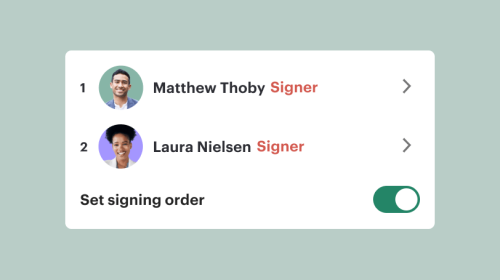
A signing order is a workflow feature that lets users set a specific sequence for recipients to receive and sign a document. Users can select recipients and pre-determine the order in which they receive the document. This ensures your contracts, proposals, or agreements are reviewed and approved in the correct order, helping you manage approvals and avoid delays in the e-signing process.
With the PandaDoc signing order feature, you can assign user roles, set up email notifications, and automate the process so that your documents are automatically sent out in the right order.
Why businesses choose PandaDoc for
e-signing

Create and send documents in minutes using templates
Build polished, professional documents quickly using pre-built templates and a drag-and-drop editor, no IT support or professional designers needed.
Make a lasting impression with interactive content
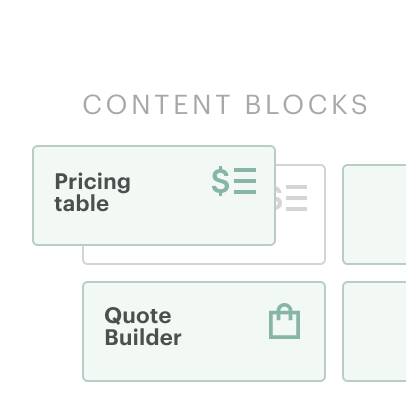
Add multimedia, pricing tables, and other unique content to keep recipients engaged. Built-in tracking shows when users view, comment, and complete your documents.
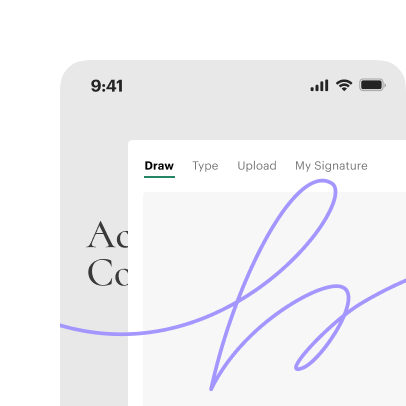
Send, sign, and approve documents on one secure platform
Build documents, collect legally binding e-signatures, set signing order, and track progress without ever leaving PandaDoc.

Connect PandaDoc to your favorite CRM tools
Eliminate manual entry and avoid input errors by automatically importing customer data from Salesforce, HubSpot, Pipedrive, and other CRM tools.
Create and send documents in minutes using templates
Build polished, professional documents quickly using pre-built templates and a drag-and-drop editor, no IT support or professional designers needed.
Make a lasting impression with interactive content
Add multimedia, pricing tables, and other unique content to keep recipients engaged. Built-in tracking shows when users view, comment, and complete your documents.
Send, sign, and approve documents on one secure platform
Build documents, collect legally binding e-signatures, set signing order, and track progress without ever leaving PandaDoc.
Connect PandaDoc to your favorite CRM tools
Eliminate manual entry and avoid input errors by automatically importing customer data from Salesforce, HubSpot, Pipedrive, and other CRM tools.
Create and send documents in minutes using templates
Build polished, professional documents quickly using pre-built templates and a drag-and-drop editor, no IT support or professional designers needed.
Make a lasting impression with interactive content
Add multimedia, pricing tables, and other unique content to keep recipients engaged. Built-in tracking shows when users view, comment, and complete your documents.
Send, sign, and approve documents on one secure platform
Build documents, collect legally binding e-signatures, set signing order, and track progress without ever leaving PandaDoc.
Connect PandaDoc to your favorite CRM tools
Eliminate manual entry and avoid input errors by automatically importing customer data from Salesforce, HubSpot, Pipedrive, and other CRM tools.
Take control of your entire e-signing process
Ensure that every document is signed in the right order
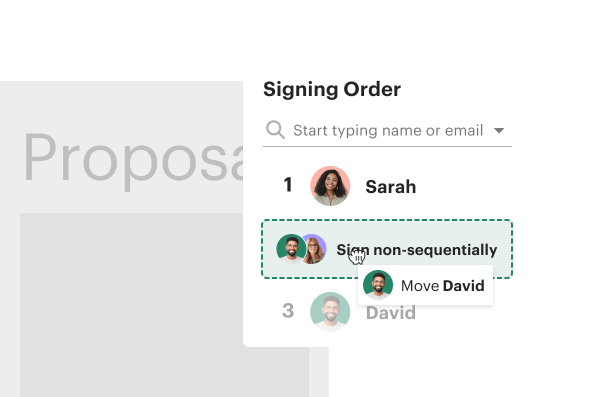
With a pre-set signing order, documents always follow a clear path. Users will only receive an invitation to review the document after users ahead in the signing order have already signed. That way, no one signs early, and no one gets skipped.
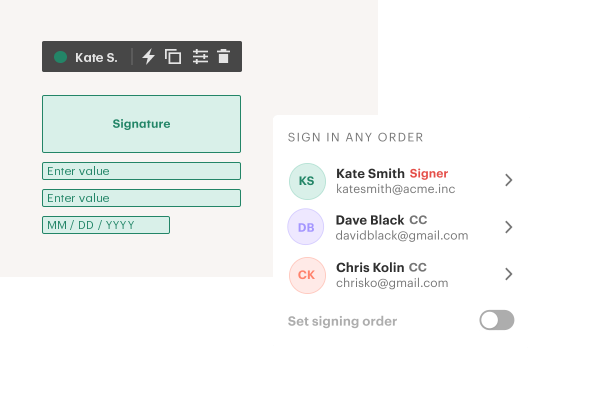
Provide a personalized experience for every signer
With PandaDoc, recipients only see what’s relevant to them when they open a document. Signing fields, messaging, and timing are all tailored to keep things clear, streamlined, and professional while reducing confusion or unnecessary distractions.

Minimize delays caused signing contracts out of order
When key stakeholders get skipped during e-signing, it’s often necessary to start the entire process over again. PandaDoc keeps everything moving in the correct sequence so that signatures happen faster and no recipient is overlooked.
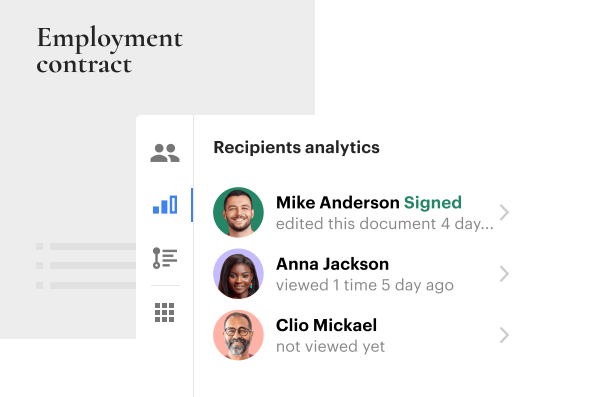
Stay in control without micromanaging project stakeholders
Trying to manage stakeholders during e-signing usually results in more emails, notifications, and even friction. With PandaDoc, teams can set the signing order once and let the process take care of itself without constant follow-ups or manual check-ins.
Store signed documents automatically in PandaDoc
Once the final stakeholder signs, documents are time-stamped, emailed to all recipients, and stored in a secure location in the PandaDoc workspace. As required, each document can be downloaded, exported, or shared across teams and stakeholders.
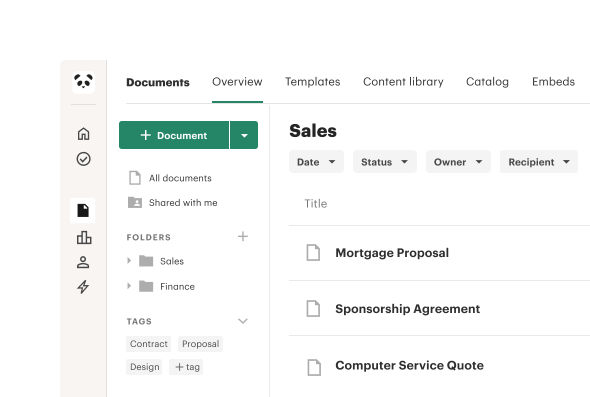
Build secure e-signing into your tech stack with PandaDoc API
Generate, send, and sign thousands of documents automatically using fast, flexible API tools that scale with your document output.
- Automate document creation at scale.
- Trigger sending and e-signing via API calls.
- Customize templates with variables and dynamic data.
- Integrate seamlessly with your CRM and other tools.
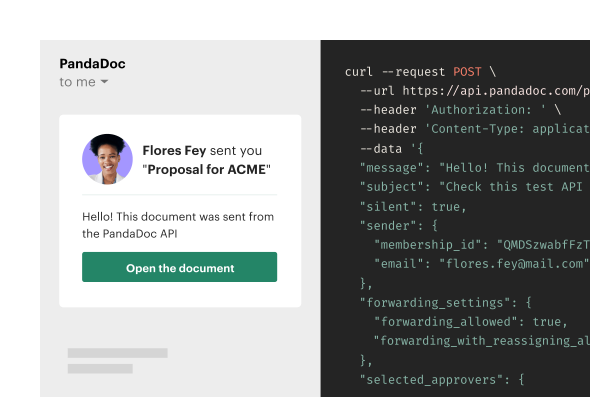
Custom e-sign routing for every document
Automate proposal approvals with precision
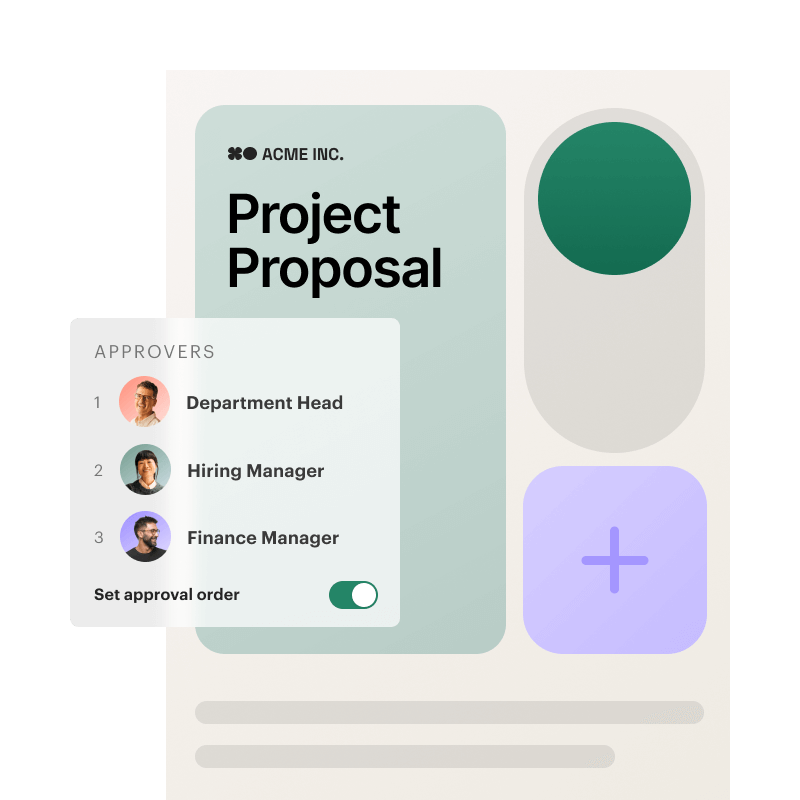
Expedite proposals by assigning a clear signing order before sending your documents. PandaDoc will send your proposal to stakeholders one at a time, ensuring that sign-offs happen in the right order and deals are always moving forward.
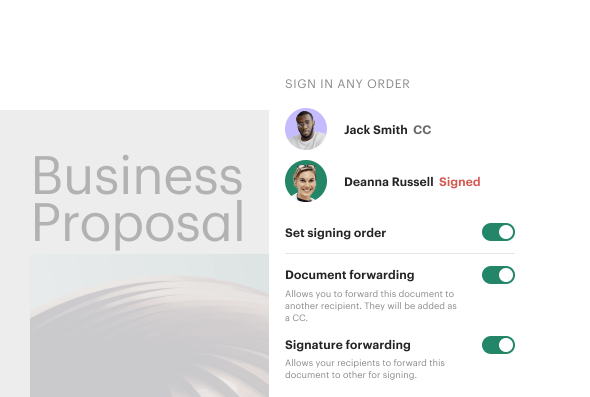
Keep contract approvals moving smoothly
Assign signers in the right sequence to avoid hold-ups and unplanned missteps. With a defined signing order, contracts automatically go to the appropriate signer without additional micromanagement from your team.
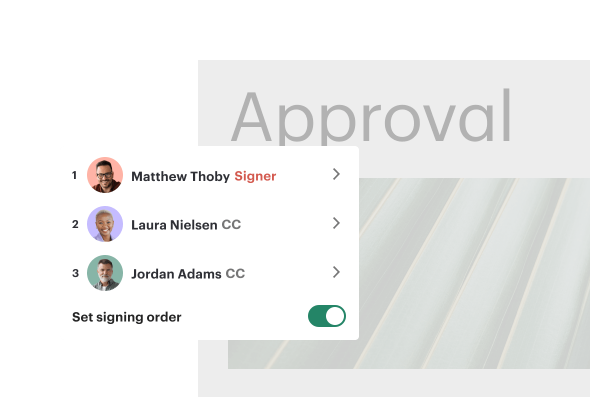
Keep internal teams on the same page
Create a clear path for approvals across multiple departments. Automatically send policies, agreements, and updates to internal teams using a predefined sequence so that approvals are consistent and executed in the right order.

See how our users turn agreements around faster
Teams rely on PandaDoc when every signature counts. See how real teams use PandaDoc to simplify approvals and eliminate unnecessary bottlenecks.
Learn more about signing order

Frequently asked questions
What is a signing order?
How do I edit a signing order in a document?
Can I add multiple signature fields?
How do I send a document for signing?
Do signers need a PandaDoc account to sign my documents?
How do I turn off the signing order?
Automate your e-signing process with PandaDoc
Get personalized 1:1 demo with our product specialist.
- Tailored to your needs
- Answers all your questions
- No commitment to buy
Schedule your free live demo
- Fill out the form
- Book a time slot
- Attend a demo
By submitting this form, I agree that the Terms of Service and Privacy Notice will govern the use of services I receive and personal data I provide respectively.